Spelling Word Scramble
Type your spelling list or pick a grade list, then print a spelling word scramble with an answer key.
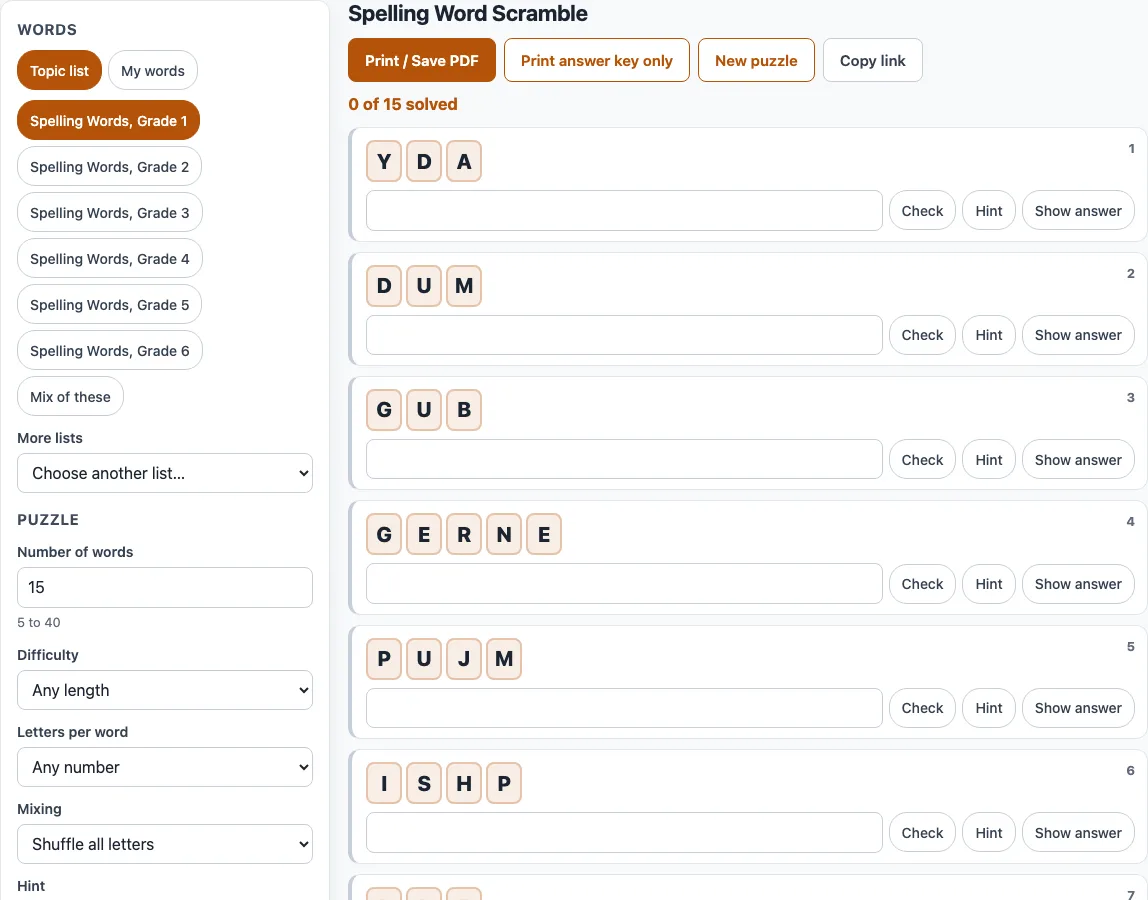
Spelling Word Scramble is a free tool that turns a spelling list into scrambled words and prints a worksheet your students can unscramble, with an answer key if you want one. Use it as a spelling words scramble worksheet maker: paste your own weekly list, or pick from grade-level spelling lists, and the tool scrambles each word for you. Students can also solve the puzzle on screen, where each word appears as letter tiles with an answer box.
It runs in your browser, so there is no account and no sign-up, and nothing you type is uploaded. It works on phones and tablets, and printing works from any browser. Teachers and parents use it to scramble spelling words for a Friday test, a warm-up, or homework. Everything you make here is free to use in class or in products you sell, such as Teachers Pay Teachers resources or Etsy printables.
How to make a spelling word scramble
- Choose My words (next to Topic list).
- Paste your list into Your words, one word per line, or separate the words with commas or semicolons. Letters, spaces, hyphens and apostrophes are allowed. If an entry cannot be used, the tool lists it with the reason.
- Set Number of words from 5 to 40. For a typed list, the count follows how many words you entered.
- Choose Mixing: Shuffle all letters, or Keep first and last letter for an easier sheet.
- Choose a Hint level, such as First letter or Number of letters, if students need support.
- Type a Worksheet title (it starts as Spelling Word Scramble), then set Paper size, Columns and Font size.
- Set Copies, and keep Include an answer key page on if you want answers.
- Click Print / Save PDF. In the print dialog, choose Save as PDF if you want a file.
Turn on Word bank (answers in a jumbled list) to print all answers in mixed order under the puzzle. Print answer key only prints just the answers, and New puzzle creates a new scramble with the same settings. To use a ready list instead of your own, choose Topic list and tap a grade chip from Grade 1 to Grade 6.
Do word scrambles help with spelling?
Rebuilding a word letter by letter makes students look at every letter and where it sits, which is the kind of attention spelling needs. A scramble works best after students have seen the correct spelling, because they still have to recall it and write it back.
A scramble does not explain why a word is spelled the way it is. Pair it with the list itself, or with a quick look at the word’s meaning, so students connect the letters to the word.
How are the letters scrambled?
The scrambled letters are always different from the word. The tool also never shows another real English word made of the same letters, so HEART is never shown as EARTH. For words of four letters or more, at most half of the letters stay in their original place when possible.
Phrases such as candy cane are scrambled one word at a time, and the space stays where it is. Real examples from the tool show the two mixing options. BECAUSE can come out as UEEBSCA when all letters shuffle, or as BAUCESE when the first and last letters stay in place. BEAUTIFUL can become FBAUUTIEL.
How does online solving work?
Each word appears as letter tiles with an answer box. Pressing Enter or Check shows “Correct!” or “Not quite. Try again.” Each press of Hint reveals one more starting letter, and Show answer reveals the word. The timer starts at the first action, and when every word is solved the tool shows the time taken.
Some words have alternate answers. If you type a different real word that uses exactly the same letters, it counts as correct, and the message gives the list word. For example, ANGLE counts when the list word is ANGEL. This applies to 406 of the 2,135 single-word list entries. Words you type yourself are not checked against a dictionary.
Frequently asked questions
Which grade lists are included?
The Spelling Words set has lists for Grade 1 through Grade 6. Grade 1 has 50 words, Grade 2 has 56, Grade 3 has 57, Grade 4 has 57, Grade 5 has 59 and Grade 6 has 59. These are common words for each grade, written for this site, not a particular school’s or publisher’s list. For your own class list, choose My words.
Can each student get a different version?
Yes. Set Copies from 1 to 30. Each copy has the same words in a different order with different scrambles, labelled Version 1, Version 2, and so on. Each copy gets its own answer page when the answer key is on.
How do I share the same sheet with parents (copy link)?
Click Copy link. The link stores every setting and the puzzle number, and your own words are kept in the part after #. Anyone who opens the link gets the same puzzle, so you can send it to parents or reopen it next week.
Can I sell spelling word scramble worksheets I make here on Teachers Pay Teachers?
Yes. The spelling word scrambles you make here are royalty-free for personal, classroom and commercial use, including KDP books, Etsy printables, Teachers Pay Teachers and print-on-demand products. No credit is required, and the only thing you may not do is copy the generator or the site itself to run a competing service. See the terms for details.
Related tools
- Word scramble generator: use it when you want a general scramble from any set of words.
- Easy word scramble for kids: use it for younger readers who need short words and picture hints.
- Sentence scramble maker: use it when students should put whole sentences in order.
- Printable word scramble worksheets: use it when you want a ready-to-print sheet to hand out.
- Word scramble with answers: use it when you need a sheet that already includes the answer key.
- Difficult word scramble: use it when students are ready for longer, harder words.
- Scramble letters (word scrambler): use it when you have a single word or set of letters to rearrange.